
These days, everything is password protected, and for a reason. Cybercrime is at large, and to keep your privacy intact, you have to take specific measures like safeguarding your applications with passwords. The catch is that even if your application or device is password protected, hacking can take place, releasing your private information into the world. The solution to this is other apps that secure your password. A password is a tool, which is supposed to defend an app, but nowadays, even passwords need protection from hacking. Several websites provide secure password generator services; by using them, we can rest assured that the password will be safe.
Sometimes, people forget their passwords, as almost every app they use is password protected. Thus, it is very usual for such an event to occur. No need to worry as you can organize passwords on excel or use a password manager to remember all your passwords, and thus, you will not have to keep ‘easy to remember‘ passwords for fear of forgetting them. Instead, you can put complicated and challenging to-crack passwords as the password manager will act as your backup and help you remember all your passwords.
We understand that it is hard to remember your passwords and want to take the easy way and have someone remember it for you. It is sometimes challenging to make passwords that are safe and ones that hackers don’t hack. You can go to a secure password generator website and generate a password safe from hacking. But the next problem is remembering the password; for that, there are various password managers, and you can download any of them to help you solve your issue.
List of 14 Best Secure Password Generators
The secure password generator tools are as follows:
Dashlane
Dashlane is a password manager that can be accessed from anywhere. It comes for personal as well as business plans. It is supported on main desktop and mobile platforms like Windows, ios, android, etc., and all major browsers like Chrome, edge, etc.
Dashlane has the best security service. It does not store or share your information with a third party. It can hold up to 50 passwords for free. Then it comes with many plans like premium, family, and even business. It comes with many features, and famous companies are connected with it. Dashlane is a password manager with a secure and fast VPN that supports streaming sites like Netflix.
Visit: Dashlane
LastPass
This secure password generator website enables you to make safe passwords to maintain your privacy. You must wonder what if the site remembers your password and leaks your information. If this is what you are thinking honestly, get that considered out of your mind as the password generation is client-side, i.e., you do it on your computer with JavaScript.
These passwords you generate never share with the website and are only known to you. Thus, it is a very reliable source and can help you make tough passwords. LastPass also acts as a password manager, enabling you to store your passwords in one safe place, where they are encrypted and accessible only to you.
It also helps you create secure random passwords as and when you need them. It is a very trustworthy website to create a safe password. So, what are you waiting for? Generate a secure password and start using it.
Visit: Lastpass
Roboform
RoboForm Free is safe, easy to use, and comes with the best form filler on the market — most password managers store and fill out simple web forms, but its form filler can fill out even the most complex web forms with perfect accuracy.
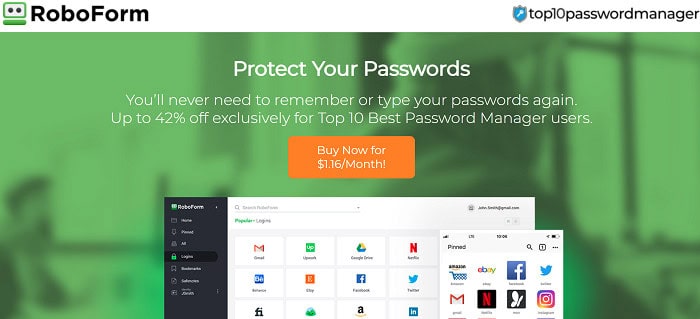
The free version also includes password auditing, bookmark storage, emergency access, and unlimited password storage. However, unlike Dashlane, RoboForm’s emergency access only allows you to receive it, not grant it to others.
The free version of Roboform only supports a single device and misses the 2FA option, which you get after payment. It also comes with 24/7 support.
Visit: RoboForm
Keepaas
Keepass comes with end-to-end encryption. This also means the password is nonrecoverable, so you should not forget your master password.
It is an open-source service, meaning any security professional can verify the code. Furthermore, KeePass is highly adaptable, has a plethora of available add-ons, and gives you complete control over your—kbd databases. Although KeePass only stores passwords locally by default, you can easily share yours.kbd database via a secure online storage platform.
Visit: Keepass
1password
1Password, unlike Dashlane, does not have a free version. Even though it has a 14-day trial, you can test all its features risk-free to see if it’s right for you. It has many high-security features, an easy-to-use dashboard, and affordable plans for individuals and families.
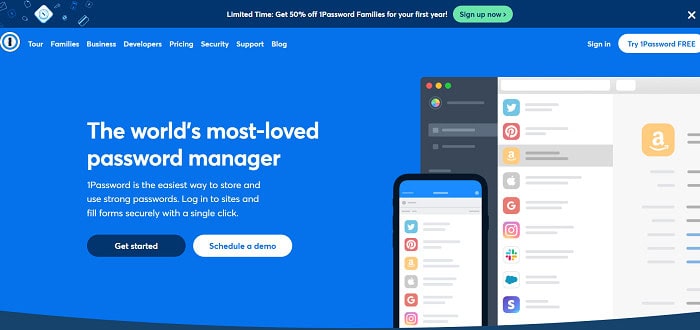
1Password provides some of the best 2FA options on the market, including seamless integration with one-time password apps like Google Authenticator and USB keys like YubiKey, compatibility with biometric scanners, and a built-in 2FA authenticator.
Visit: 1Password
Nordpass
NordPass is a secure password manager created by NordSec, a company dedicated to improving its users’ online privacy and security. The same company made NordVPN and NordLocker.
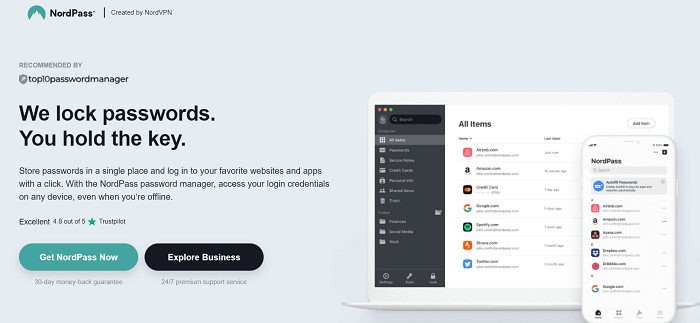
NordPass’ interface is one of the best I’ve ever used. It has a modern design that is simple, clean, and friendly. The encryption used by NordPass distinguishes it from other password managers. It employs the XChaCha20 Encryption method, considered more advanced and less vulnerable to cyberattacks than the industry-standard AES 256-bit encryption.
Visit: NordPass
Keeper
Keeper is an excellent password manager with solid security features. It is compatible with all operating systems and includes a browser extension. A 30-day trial subscription is available to try out the password manager. The plan automatically converts to a free program when the trial period ends. Remember that you can only use this free version on one device.

Keeper’s free version is limited and will not suffice for most users. When it comes to selling upgrades, Keeper is also very pushy. While this is to be expected with a free plan, Keeper does not abandon you once you’ve purchased a subscription.
Visit: Keeper
RANDOM.ORG
This website allows you to create random passwords. The randomness derives itself from atmospheric noise, which is better than the lucky numbers for many reasons. This site’s password creation transmits itself via SSL to your browser. Being a secure password generator website, it provides options on the length of your password and how many passwords you want to generate.
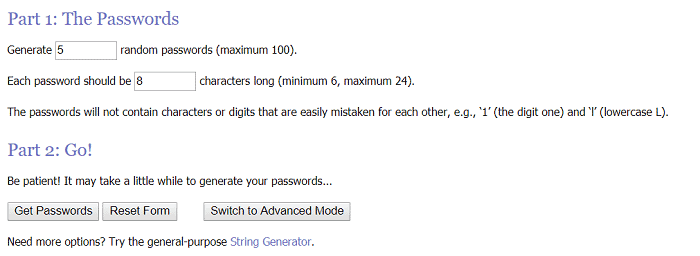
It creates passwords that do not contain digits or characters that can be easily mistaken for each other. When you press ‘Get Password,’ it gives you your password/ passwords per your specifications. Thus, it comes in handy when creating a sound password.
Visit: RANDOM.ORG
Strong Password Generator
This secure password generator website tells you the requirements of a stable and sound password, the haves and the have-nots.
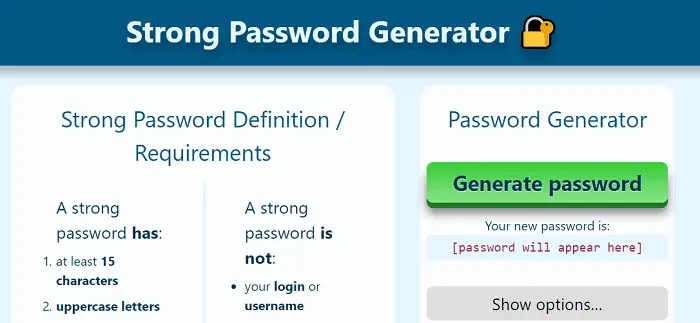
To create a password, you have to click on the green color option ‘Generate Password,’ and your new password generates within seconds. It offers you advice on how to remember your password.
Visit: Strong Password Generator
SafePasswd
This secure password generator site vouches to be suitable for your private and work email accounts, financial, banking, and savings online services, and for keeping your social network’s information safe.
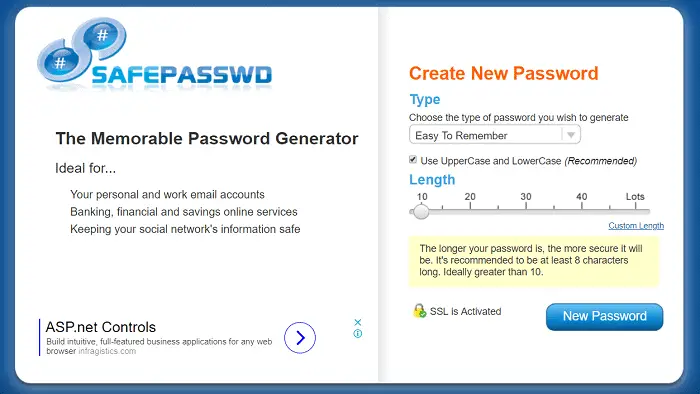
To help you create a new password, it asks for your specifications regarding the type of password, i.e., easy to remember, containing both the cases, comprising digits, having all characters, etc. It then wants to know the preferred length of your password.
The longer your password is, the more secure it will be. We recommend to be at least eight characters long. Ideally, the length is more significant than ten. Then, when you click on the blue color tab ‘New Password,’ it generates a unique password for you and tells you the password’s strength.
Visit: SafePasswd
Norton Identity Safe Password Generator
This secure password generator website offers a valuable and free password generator. You can choose the letters, symbols, numbers, or any other character you want to include or exclude from your password. The best part of this website is that it can create 50 passwords at a time with a single mouse click.
It also provides you with software you can download and save your passwords for future reference, which is helpful if you want to access your password anytime and anywhere. It is a very reputable website and has acclaim.
Visit: Norton Identity Safe Password Generator
MSD Service Provider Generator
This site is a secure password generator website that helps you decide what characters you want to include in your passwords and what you want to exclude.
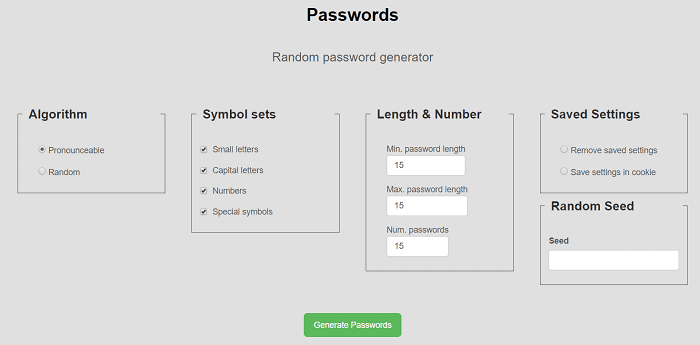
It can generate up to ten passwords at a time.
Password Ninja
This is an efficient and effective secure password generator website through which you can get a new, sound password without much hassle. There is a pattern in the passwords generated by this site. It creates ten passwords with just one click, starting with a capital letter and ending in two digits, which is ideal for meeting the criterion for almost all apps and sites.

Some of the other secure password generator tools are as follows:
- The Bitmill
- Domain Diagnosis
- Techzoom Password Generator
- Password Bird
- Littlelite Password Generator
- XKPASSWD
- Password Creator
Visit: Password Ninja
Random Ace
Random Ace Password Generator is one of the most excellent tools accessible right now for creating strong passwords. It is one of the best password-generating tools available and provides a simple process for making strong passwords.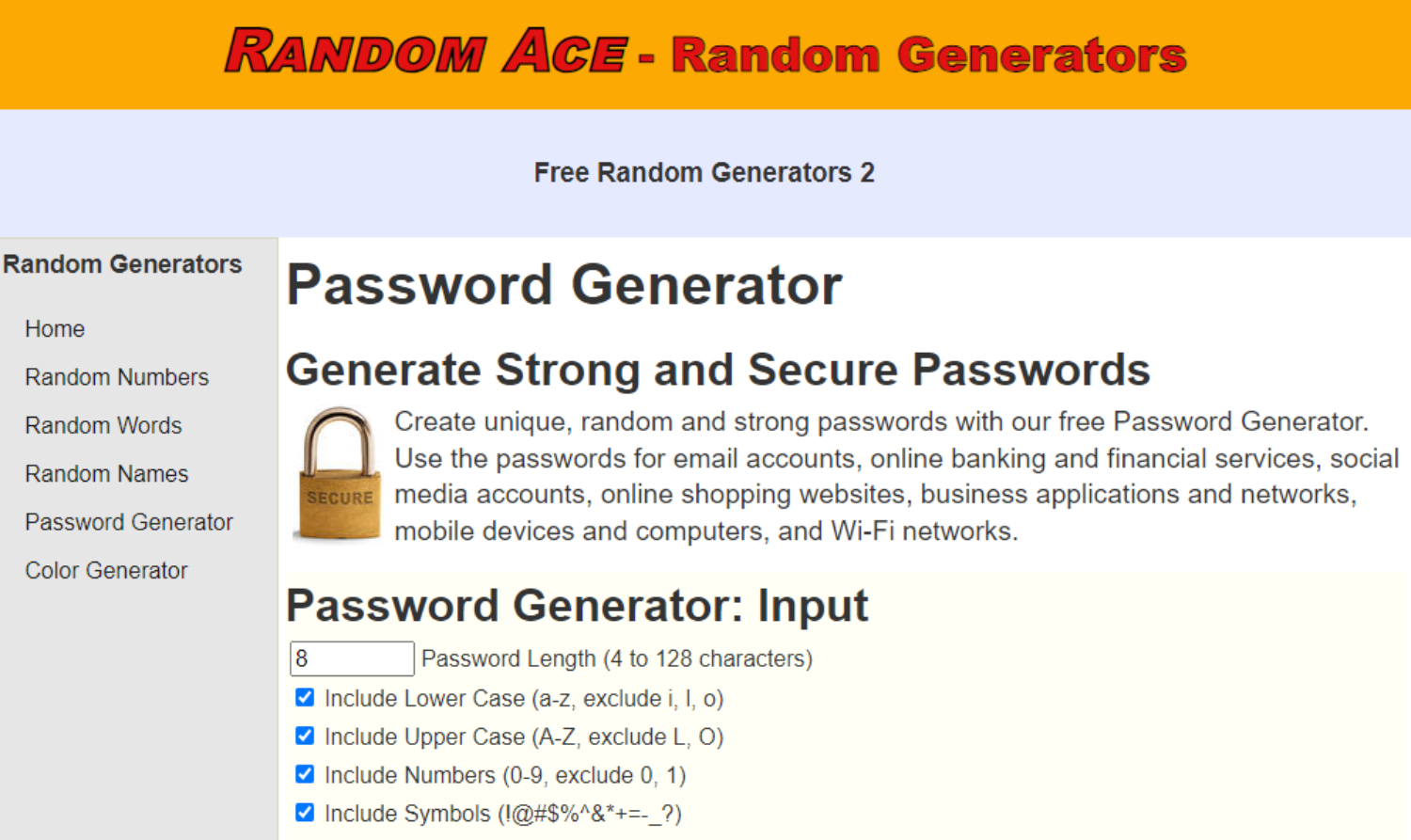 Random Ace is a powerful password generator that allows users to personalize their passwords by choosing length, complexity, and special characters. This robust tool generates unique, secure passwords, making them nearly unbreakable. It caters to home users and business professionals, offering a user-friendly interface and prioritizing user privacy and security by not keeping created passwords. Random Ace is accessible to all tech proficiency levels and ensures a secure online account.
Don’t expose your private information to online dangers. Use the Random Ace Password Generator and feel secure knowing that strong, one-of-a-kind passwords protect your accounts. Protect your online presence now by taking advantage of Random Ace’s ease and dependability.
FAQs
How do I create a secure password?
- Avoid usage of information that is personal to you like like name and birth date in your passwords as they are pretty easy to guess which makes it easier for the hackers to retrieve your password. - Make your passwords long, usually six characters or even more, to be extra secure. - have different passwords for multiple accounts - -Make use of more numbers and special characters - words found in the dictionary should not be used as they make weak passwords - setting up random passwords helps as they are the strongest
how safe is LastPass?
LastPass is safe as it uses the AES 256-bit cipher to secure passwords. as a result, the passwords will be stored only in encrypted form making it impossible for hackers to retrieve your valuable data and passwords
Is 1Password better or LastPass?
Both are equally good. However, they both are slightly different. LastPass is a free password software whereas 1Password is a better, more premium password software
Is dashlane safe?
Absolutely yes, dashlane is safe. It consists of a 2-Factor Authentication where all your data can be stored securely on the devices
Is NordPass good?
This password generator has some amazing security features like XChaCha20 encryption, multiple-factor authentication, breach scanner, etc., making it stand out as compared to the others
What is better, NordPress or Dashlane?
Even though NordPass has a more modern encryption algorithm of XChaCha20, still it is less reliable than the one used in Dashlane. And this makes Dashlane more reliable as it's safer and faster
Which is better, Dashlane or Keeper?
It depends upon the usage. If you're looking for something easy to use password management for personal use, you might want to use Dashlane as it has advanced encryption and other such features. But if you're someone who is looking for business purposes, then Keeper will be the right option for you.
Does NordPass work with Safari?
Yes. Currently, NordPass can work with Safari along with Google Chrome, Mozilla Firefox, Opera, Vivaldi, Brave, Microsoft Edge, and other Chromium-based internet browsers.
the best password generators?
The top password generators for 2022 are- -Dashlane - LastPass -KeePass -NordPass
do these password generators work?
Yes, they do. Password generators help in setting up secure passwords for your data where they create passwords by randomly combining words and special characters to form complex passwords for your devices
Is Keeper password generator free?
Yes, Keeper provides a free version as well which lets you set and store passwords, payment details, and a 2-factor authentication only on a single mobile device and not on any other device.
Is dashlane available for free?
Yes, Dashlane is for free. The free plan of Dashlane is cheap and also easily accessible
Do these password generators face a threat of getting hacked?
Yes, they too can get hacked if the device has malware in it. This can lead to the recording of the password when you type it, giving full access to hackers and cybercriminals
Conclusion
All of the websites mentioned above are secure password generator tools. And can be in use at any time, whenever you want to create a stable and reliable password. They are all free to use. However, even though all these websites claim to be safe and secure, you are taking a chance by storing your passwords online, so always think before going on these sites.
You can review all the options as they give you a trial version for 30 days. Explore which password generator tools suit you or your business best. So download the password generator and set yourself free from constantly clicking on forget a password or card number to pay. This generator tool will handle your data and generate stronger passwords. Try it and share your experience with us!
See also: Internet Scams: What Are They and How to Avoid Them?